How you can use AI to improve restaurant food photography.

In hospitality, food photography can make a real difference to your bottom line.
It’s rarely the sole reason anyone chooses where to eat, but strong photography helps makes a place stand out. Good photography stops people scrolling, sparks interest, and can help turn casual browsing into real bookings.
Done right, photography helps customers understand what you offer and what to expect when they order. Clear, well-composed images build confidence and make a place feel familiar and appealing before they enter your venue.
Professional photography, the gold standard.
To be clear, the purpose of this article isn't to say that 'AI can do it better'. It really can't. Professional photography is always the best option, and I'd always recommend bringing in a professional if you can afford it.
Hiring a professional photographer will always give better results. A skilled photographer understands light, space and image composition, and has the expertise to make food look it's best.
Professional photographers can also create a consistent look across your whole menu, which can be very difficult to achieve otherwise.
When you hire a photographer, you're investing in your venue with images that can be reused across menus, your website, delivery apps, and marketing materials, often for years to come.
Professional photography tends to pay for itself many times over.
Where everyday photography falls short
Menus change. Specials rotate. New dishes and drinks appear regularly. Not every update to your menu justifies the time or cost of a professional shoot.
Most restaurant photos are taken on a mobile phone. While the're quick to take and easy to share, they're often less professional, thanks to less-than-ideal lighting and limited prep time, which stops them from being as impactful or as sharp as professional images.
Even when the food looks great in person, mobile photography may not reflect that. This is the gap that AI can help close.
It could never replace a professional photographer, but it can improve the images you already have when a professional shoot is not practical or affordable.
How can AI help?
When used well, AI works best as a post-production tool. Its role is to improve real photos, not to invent food or make dishes look better than they actually are. It can help with:
- Lighting correction - Balancing shadows and highlights and reducing harsh overhead lighting.
- Colour accuracy - Correcting colour casts from kitchen or bar lighting so food and drinks look natural rather than flat or overly warm.
- Composition and cropping -Improving framing and perspective so images feel intentional rather than rushed.
- Background cleanup - Reducing distractions while keeping the setting believable and consistent with your venue.
These are all the kind of adjustments a professional photography would make. AI simply helps apply them faster and with less technical effort.
A practical AI workflow for restaurants
AI is most effective when it is used as part of a simple, repeatable process.
Step 1: Start with real photos
Take clear photos of your dishes and drinks using a mobile phone. Use natural, or at least bright light where possible and keep backgrounds tidy.
The quality of the original image matters more than any prompt you write.
Step 2: Train AI on your venue
AI tools do not automatically understand your space. Without context or reference images, they often introduce details that are completely wrong.
Providing reference photos of your venue helps keep results realistic and consistent.
Useful references include:
- Empty tables in natural light
- Table surfaces from different angles
- Plates, bowls, and serving dishes
- Cutlery and glassware
- Salt and pepper shakers
- Condiment bottles
- Bar surfaces and neutral background areas
These images do not need to be styled or edited. Their purpose is to show materials, colours, proportions, and how light behaves in your space.
Step 3: Enhance source photos using AI
Once the AI has venue reference images, it can enhance mobile photos while staying grounded in reality. This works well for daily specials, seasonal menus, drinks promotions, and social media content.
Using AI to create new images
Another practical use of AI is generating new images using multiple source photos rather than relying on one single photo.
For example, you might photograph a dish in good light in the kitchen or near a window, then ask AI to place that dish onto a set table or bar area elsewhere in your venue using reference images you have already provided.
Everything involved should still be real. The food, the table, the background, and the venue should all come from your own photos.
AI is simply helping bring those elements together in a believable way.
If the placement feels awkward, the scale looks wrong, or the lighting does not match, it is better not to use the image.
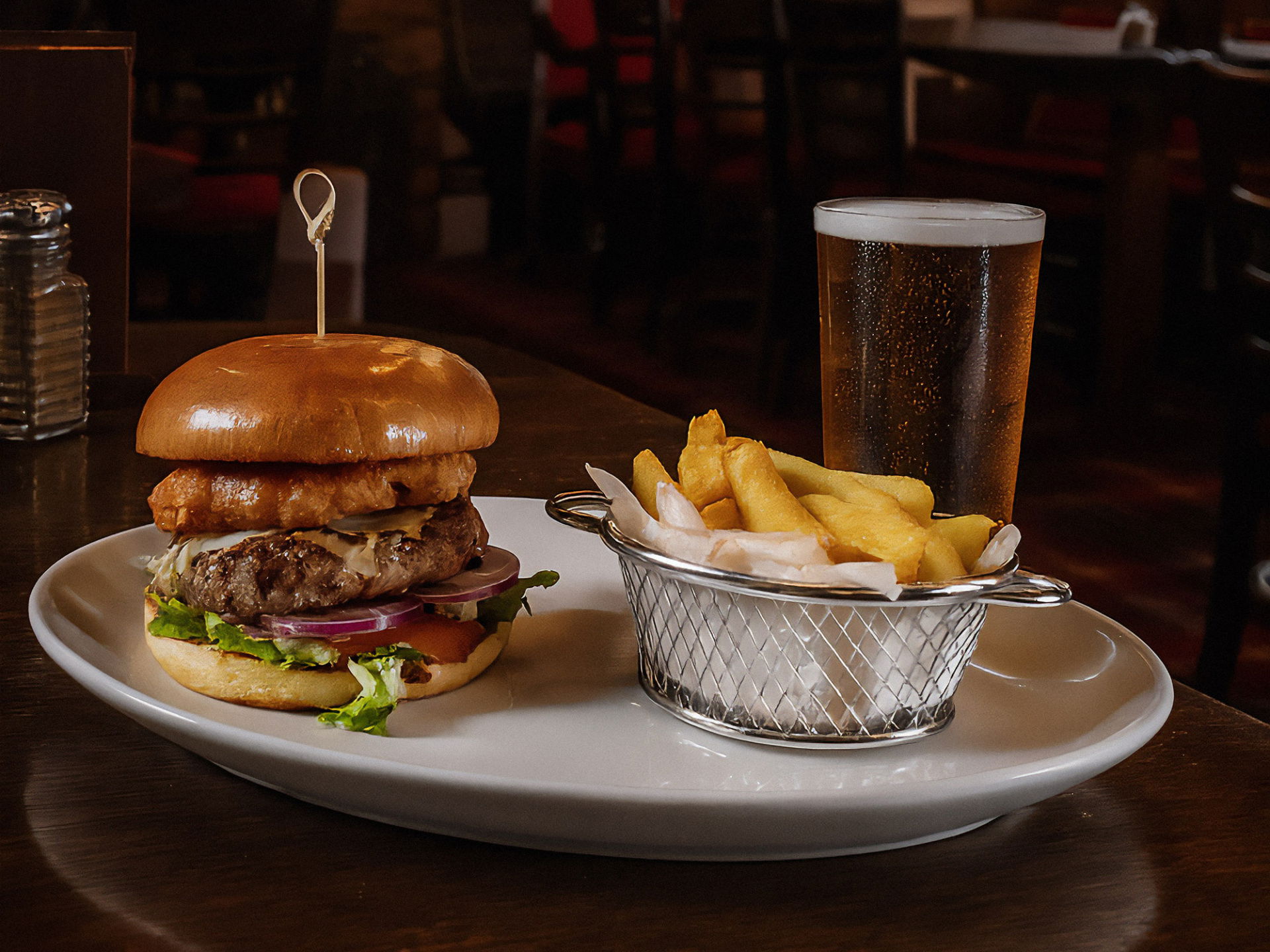
This example image shown was created using photos of a customer’s venue, tableware, and food shot in the kitchen. The aim was not to create a new dish from scratch, but to produce an image that looks like it could genuinely have been taken in the venue.
When images stop feeling real
One of the main risks with AI imagery is that things can look too-perfect.
A risk with AI-generated imagery is that textures can become overly smooth, colours too vibrant or artificial, and the food starts to resemble a computer-generated render rather than something that came from your kitchen.
This is where your judgement matters; before publishing any AI-enhanced image, ask yourself:
- Does this actually look like it came from our venue?
- Would a regular customer recognise the space and tableware?
- Does the food still look like something we serve?
- Is this setting the right expectations?
If an image feels overly polished or artificial, it is usually better not to use it.
In short, believable images perform better than flawless ones.
A prompt template you can use today
AI works best when instructions are clear and well-defined.
For example, once you've provided several source images of your venue, cutlery, plates and table dressing, you could provide an image of a dish to an AI with the following prompt:
---
Enhance this photograph of [DISH NAME] to a professional food photography standard.
Take the new photo from a 30 degree angle so the background is visible with soft depth of field.
Use the photos provided earlier in this chat as venue reference images.
Maintain the correct plates, glassware, table surface, and lighting style.
Improve lighting balance, colour accuracy, and overall clarity while keeping the dish realistic and recognisable.
Do not change the ingredients, portion size, plating style, or add props not used in the venue.
Ensure appropraite spacing around the dish so that it does not come close to the edge of the photo.
The final image should look like it was taken in our venue using natural, believable lighting.
---
Optional additions can be used sparingly:
- Subtle depth of field consistent with professional food photography
- Soft directional light similar to afternoon service
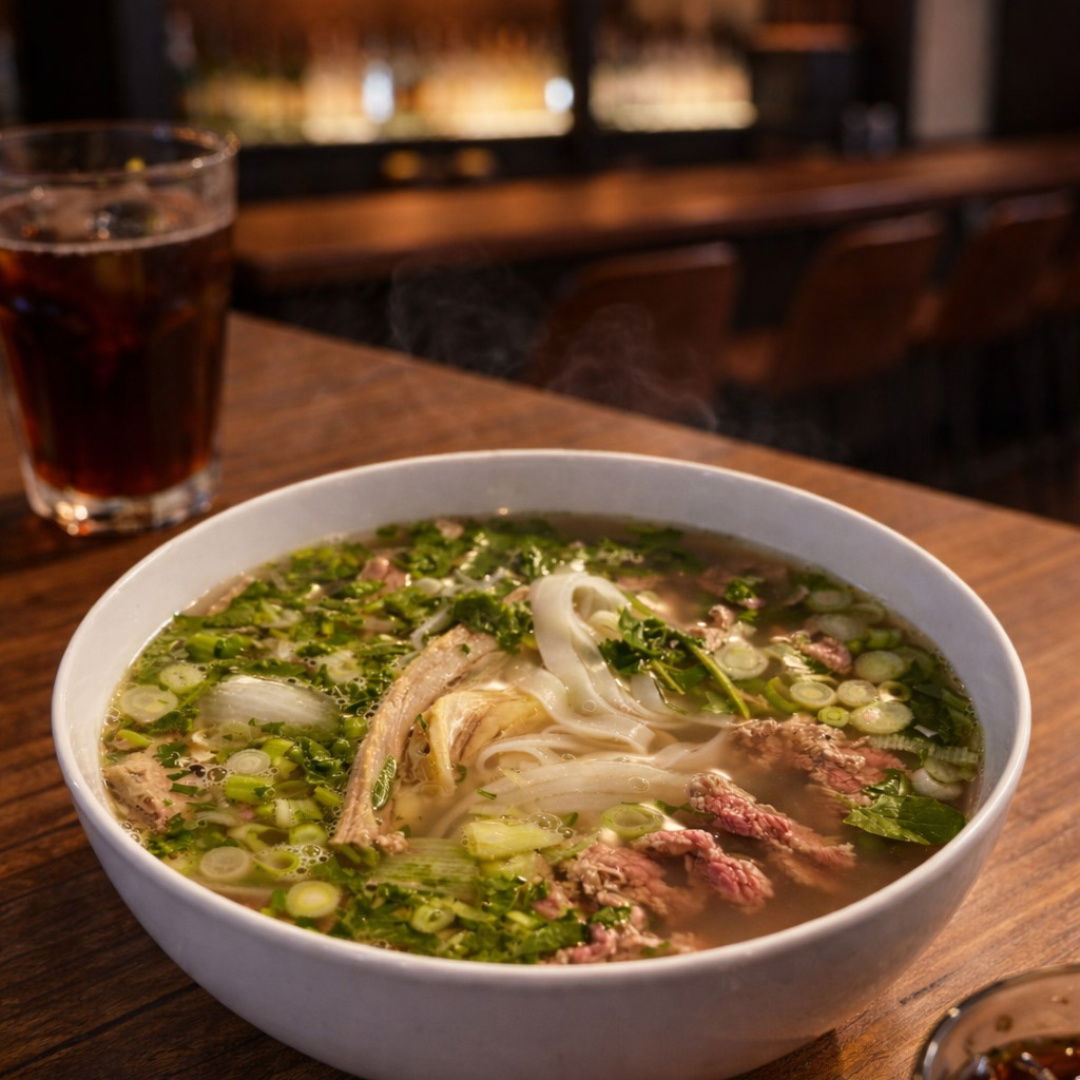
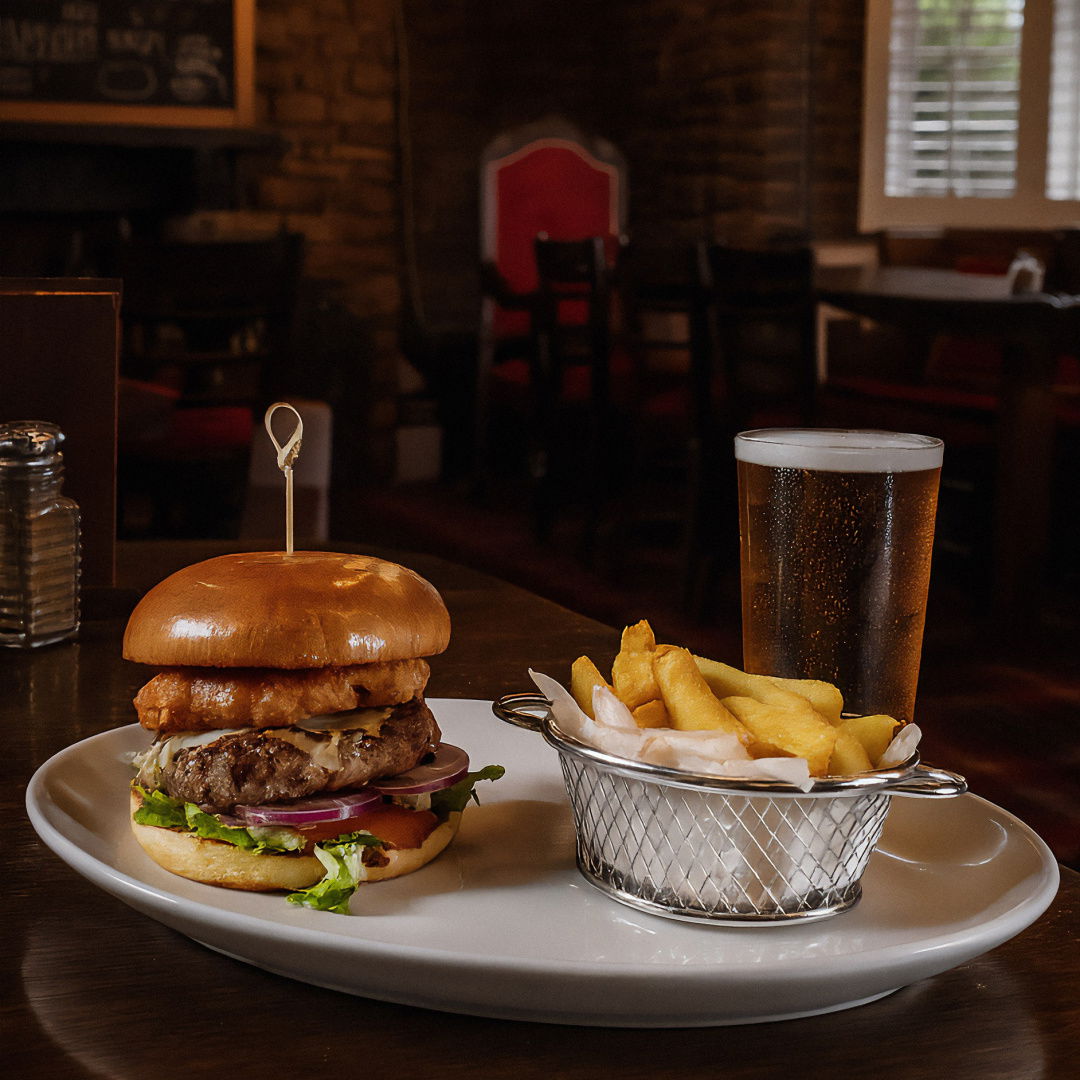
Another example using a source photo that was taken top down, photos of the wider venue were provided before using the prompt above to create this new image that retains all details of the dish whilst showing the wider venue.
What AI cannot do
AI cannot fix poor plating, rushed presentation, or low-quality ingredients. It should not be used to change the appearance of food beyond what could realistically be captured by a camera.
Changing portion sizes or adding elements that are not served will undermine trust and lead to disappointed customers.
Practical guidelines for restaurant owners
- Take the best possible photo before using AI
- Train AI on your venue using real reference images
- Use natural light whenever available
- Keep enhancements subtle and believable
- Compare final images to the real dish before publishing
- Stay consistent across menus, websites, and social channels
- Always ask whether the image sets the right expectations
Key takeaways
Professional photography will always produce the strongest and most reliable results. Where it is affordable, it should set the standard for how your food and drink are presented.
Ultimately, AI works best as a support tool. It helps when a professional shoot is not possible or affordable, and when you need to improve everyday images rather than replace professional work.
Judgement remains essential. The aim is not perfection, but accuracy, consistency, and images customers will recognise when their food arrives at the table.
Paul is the owner and lead developer at Easy Eatery, and a senior web developer at the award-winning Cardiff-based digital agency Everglow (formerly Blue Stag). With over twenty years of experience building websites for all kinds of businesses and brands, he now spends much of his time creating tools that make life easier for busy restaurant owners.
The hardest product demo is the one you don't give